
Important Factors to Consider When Buying a TV
Choosing a new television can feel overwhelming when every model promises impressive picture quality, immersive sound and smarter entertainment. Yet the best TV for your home depends on how you watch, where you place it and which features matter most to you.
A screen that works beautifully in a bright living room may not suit a dedicated movie space, while gamers may need features casual viewers can skip. Understanding the essentials, from display technology and resolution to connectivity and sound, will help you compare options confidently and find one that suits your space and viewing habits.
Screen Size
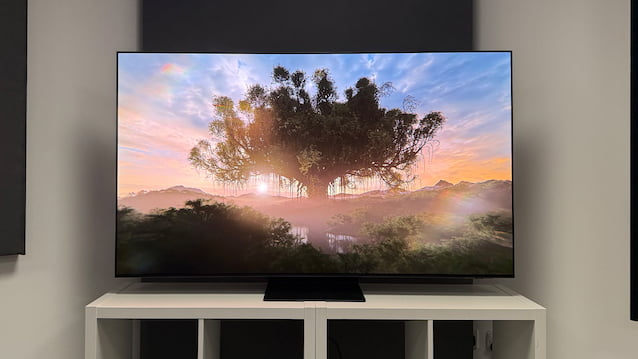
Make every movie night better; choose from a premium selection of televisions. When locating the right option for your space, keep in mind that it should feel immersive without overwhelming the room. Therefore, before choosing a screen size, consider the distance between the TV and your usual seating position, as well as the available wall or cabinet space.
Screen sizes are measured diagonally, so check the full width and height of the television to make sure it fits your intended location. If you plan to wall-mount it, account for the bracket and allow enough room for cables and ventilation.
A larger screen can make films, sports and games more engaging, but bigger is not automatically better. On the other hand, a smaller alternative like the 43-inch TV may be too small for a larger living room. The right size depends on viewing distance, room layout and personal preference. Think about how many people will watch at once, too, since a wider seating arrangement may make viewing angles more important.
Display Technologies
Display technology influences a TV’s brightness, contrast, colour and overall picture quality. Understanding the main options can help you decide which features are worth prioritizing.
LED TVs
LED TVs use a backlight to illuminate an LCD panel. They are available across a broad range of prices and can suit everyday viewing, including television programmes, streaming and sport. Picture quality varies depending on the panel and backlighting system.
QLED TVs
QLED televisions use a quantum-dot layer to enhance colour and brightness in an LED-based display. They can be a good option for rooms with substantial daylight, although performance differs between models.
OLED TVs
OLED displays use self-emitting pixels, meaning each pixel can control its own light. This allows OLED televisions to produce deep blacks and strong contrast, making them particularly appealing for films and darker viewing environments.
Mini-LED TVs
Mini-LED technologies use smaller backlight LEDs than conventional LED models, allowing more precise control over brightness across different areas of the screen. This can improve contrast and help deliver bright, detailed images.
Resolution and Picture Detail
Resolution refers to the number of pixels that make up the picture. More pixels can display finer detail, particularly on larger screens or when sitting closer to the television.
Full HD (1080p) remains suitable for some smaller screens and basic viewing needs, while 4K Ultra HD (3840 × 2160 pixels) offers four times the pixel count of Full HD. Many current models feature 4K resolution, making it a practical choice for streaming, films and gaming.
You may also encounter 8K resolution, which offers even more pixels. However, consider whether your preferred content is available in 8K before paying extra for the higher resolution.
HDR and Colour Performance
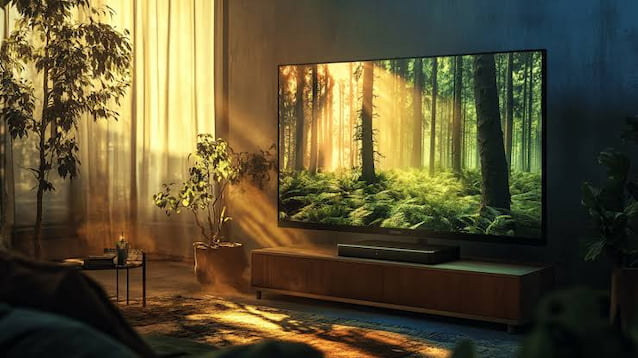
High Dynamic Range (HDR) can expand the range of brightness and colour in compatible content. It helps bright areas appear more vivid while preserving detail in darker scenes, creating a more lifelike image.
Different options support different HDR formats, so check compatibility with the streaming services, films or devices you use. The overall effect also depends on the TV’s brightness, contrast and display capabilities.
When comparing models, consider how natural colours look and whether details remain visible in both bright and shadowy scenes. A television with balanced picture performance can provide a more satisfying experience than one that simply makes every colour look intensely vivid.
Refresh Rate and Motion Handling
Refresh rate describes how many times per second a screen updates its image, measured in hertz (Hz). A 60Hz television refreshes 60 times per second, while a 120Hz model refreshes twice as often.
Higher refresh rates can help display fast-moving content more smoothly. This may be especially useful for sports, action films and gaming. However, the benefit depends on the content and the television’s motion processing.
If you mainly watch news, dramas and standard streaming programs, a 60Hz model may be sufficient. If you enjoy fast-paced games or regularly watch sport, compare models with higher refresh rates and suitable motion-handling features.
Smart TV Features
Smart TVs connect to the internet, giving you access to streaming apps and other online entertainment without needing a separate streaming device. Since interfaces and app selections vary between models, check that the TV supports the services you use most often.
Built-in Wi-Fi makes connecting to your home network straightforward, while features such as voice control can simplify searching and navigating menus. Some models also allow you to mirror or cast content from compatible phones and computers, making it easier to share videos or photos on the big screen.
Regular software updates can help maintain app compatibility and introduce new features over time. For a smoother everyday experience, choose a television with an intuitive interface and menus that are easy for everyone in your household to use.



About Author

alex
?You can always edit a bad page. You can’t edit a blank page. Likes: ❤️ Beer ?, Pizza ? Dislikes:? Mice?, Barber ? Favorite song: ? Hurts - Wonderful Life